
-
Electrical (C-10) License:
1001575
Replacing UPS Systems Without Downtime Risks
A UPS’ job is to keep critical equipment running when utility power fails, which means replacing that very UPS creates a tough situation. The existing unit has to be taken offline, but the equipment it protects still needs reliable power.
Once it goes offline, the servers, controls and gears that it protects will be vulnerable to a massive outage. So, what do you do in this scenario? Facility managers need to conduct a sound replacement process in order to avoid risk.
Luckily, with proper plans, phased upgrades, and temporary power solutions, you can keep things running and your mind at peace.
Signs It’s Time For a Replacement
Like any utility or technology, a UPS doesn’t last forever. It can retire somewhere between 10–15 years, and you’ll probably notice these signs:
- Parts are discontinued or nearly impossible to find
- Repair bills keep stacking up
- Your load has outgrown the unit’s capacity
- Efficiency is poor, and energy costs keep climbing
- The manufacturer no longer supports the model
If you’re nodding along to two or more, it’s probably time.
Planning Before the Replacement
The biggest downtime risks come from surprises, which means the goal is to remove as many as possible before anyone touches a wire.
A solid plan starts with a site survey. A technician checks the electrical layout, available space, cooling, and load size. Then the team writes a Method of Procedure, or MOP, which acts as the step-by-step script for the entire job. It includes who does what, in what order, and what happens if something goes wrong.
As most cutovers are scheduled for nights, weekends, or slow periods, timing is another big consideration. The replacement plan should be communicated to everyone who could be affected.
Keep the Load Protected With Temporary Power
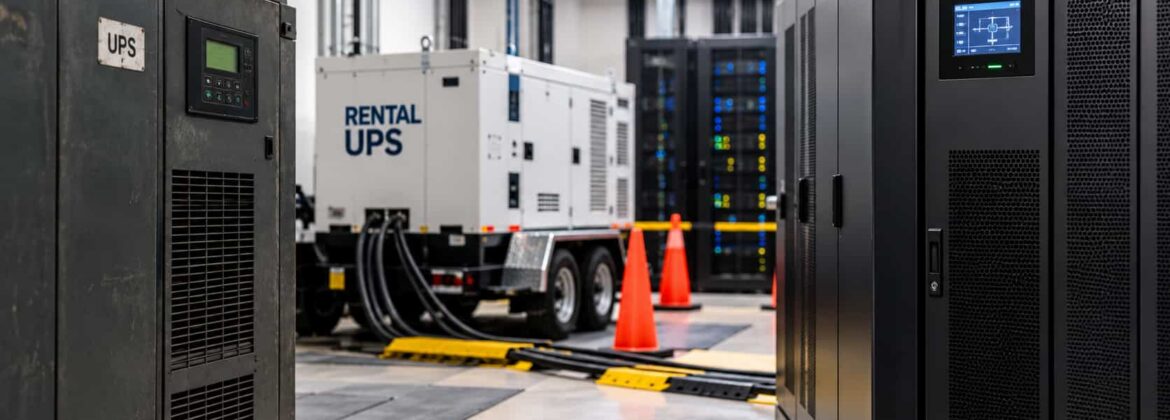
During the swap, the critical load still needs backup, so it gets one. Common options include:
- Rental UPS units. A temporary system takes over while the old one comes out and the new one goes in.
- Maintenance bypass. Power routes around the UPS so work can happen safely. (Heads-up: on bypass, the load runs on utility power alone, so pairing it with a generator helps.)
- Generator support. A standby generator covers you if the utility drops mid-project.
The right combination can be determined by looking at which loads need continuous protection and for how long.
Phase the Work and Verify the New System
Particularly when a facility has parallel or modular UPS systems, a good rule of thumb is not to replace everything at once. As you can upgrade one unit or module at a time, the rest can keep carrying the load. Taking a phased approach can reduce the amount of critical capacity taken offline at a time. The team also gets a chance during this time to install, test, and verify each new unit before moving on.
Testing is equally important, as a new UPS should go through commissioning and startup before being placed into service. Depending on the project requirements and specific system, that could include:
- Load bank testing to confirm it handles real-world demand
- Battery checks for runtime and health
- Verifying alarms, monitoring, and transfer functions
- Transfer testing to see how the UPS responds during power transitions
Only after it passes does your critical load move over. Skipping this step is how a “successful” install turns into an outage next month.
Work With a Team That’s Done This Before
Replacing a UPS without causing downtime is all about managing every transition point between the old system and the new one. Temporary power has to be sized correctly, bypass procedures need to be coordinated, generators need to be ready, and every handoff needs to happen in the right sequence. Even a small oversight can leave critical equipment exposed when you least want it to be.
Lorbel helps facilities across California and neighboring states protect their critical power. We handle the full project, from engineering and installation to rentals, generator support, and ongoing maintenance. We know that a UPS replacement should protect the facility’s continuity and not put it at risk. Our approach is built around keeping critical loads protected while the existing system is replaced, tested, and brought into service.